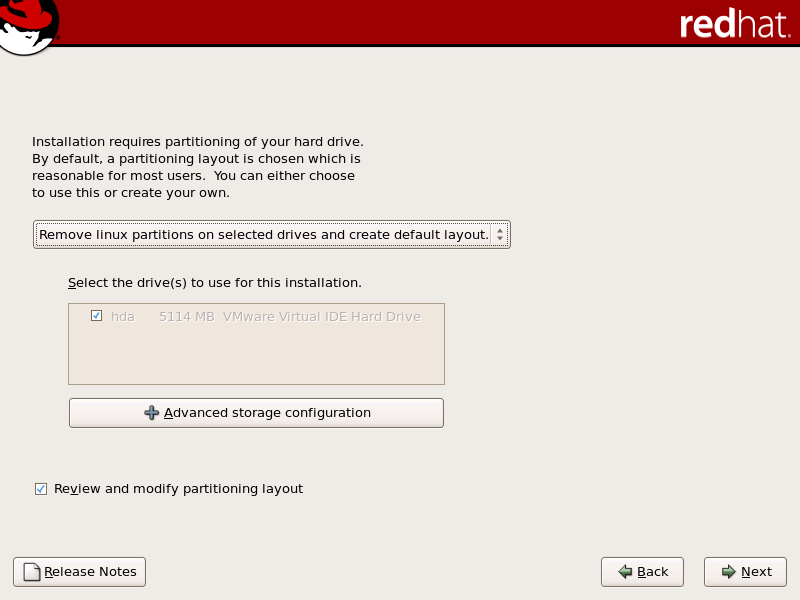
12.16. Disk Partitioning Setup
Partitioning allows you to divide your hard drive into isolated sections, where each section behaves as its own hard drive. Partitioning is particularly useful if you run multiple operating systems. If you are not sure how you want your system to be partitioned, read
Chapter 25, An Introduction to Disk Partitions
for more information.
On this screen you can choose to create the default layout or choose to manual partition using the 'Create custom layout' option of
Disk Druid
.
The first three options allow you to perform an automated installation without having to partition your drive(s) yourself. If you do not feel comfortable with partitioning your system, it is recommended that you
do not
choose to create a custom layout and instead let the installation program partition for you.
Warning
The
Update Agent
downloads updated packages to /var/cache/yum/ by default. If you partition the system manually, and create a separate /var/ partition, be sure to create the partition large enough (3.0 GB or more) to download package updates.
Warning
If you receive an error after the
Disk Partitioning Setup
phase of the installation saying something similar to:
"The partition table on device hda was unreadable. To create new partitions it must be initialized, causing the loss of ALL DATA on this drive."
No matter what type of installation you are performing, backups of the existing data on your systems should always be made.