17.18. Package Group Selection
Now that you have made most of the choices for your installation, you are ready to confirm the default package selection or customize packages for your system.
The
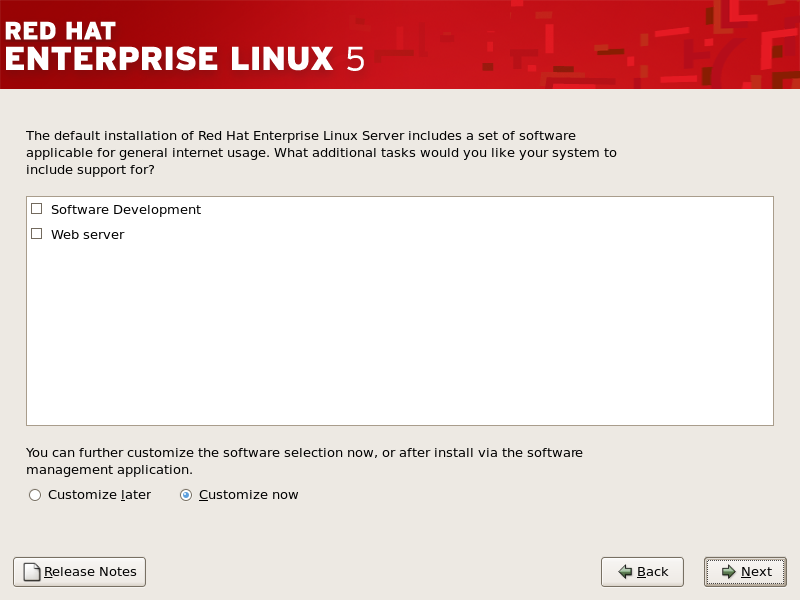
Package Installation Defaults
screen appears and details the default package set for your Red Hat Enterprise Linux installation. This screen varies depending on the version of Red Hat Enterprise Linux you are installing.
To customize your package set further, select the
Customize now
option on the screen. Clicking
Next
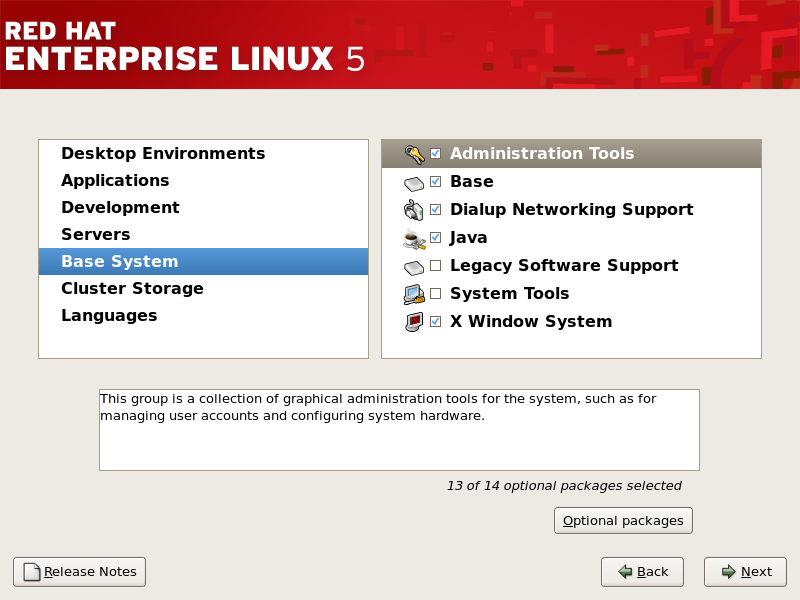
takes you to the
Package Group Selection
screen.
You can select package groups, which group components together according to function (for example,
X Window System
and
Editors
), individual packages, or a combination of the two.
Note
Users of IBM System z who want support for developing or running legacy 31-bit applications are encouraged to select the
Compatibility Arch Support
and
Compatibility Arch Development Support
packages to install architecture specific support for their systems.
Select each component you wish to install.
Once a package group has been selected, if optional components are available you can click on
Optional packages
to view which packages are installed by default, and to add or remove optional packages from that group. If there are no optional components this button will be disabled.